
Setups
Every station filled by the strongest person available, automatically.
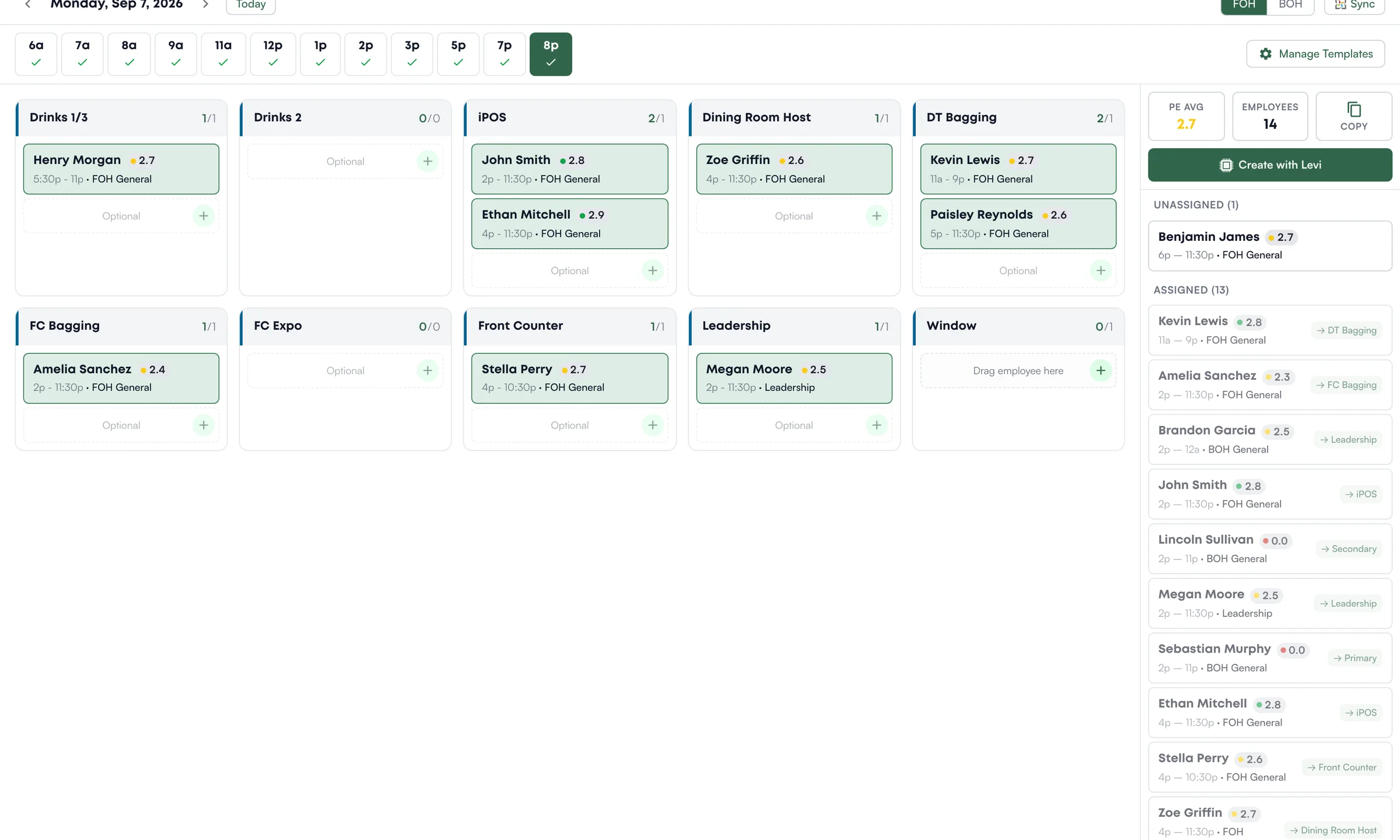
Build the lunch setup with Levi.
On the store iPad, the leader picks the lunch block, 11a.
The leader asks Levi to place people, and Levi suggests who goes where: 20 to place.
One tap places everyone.
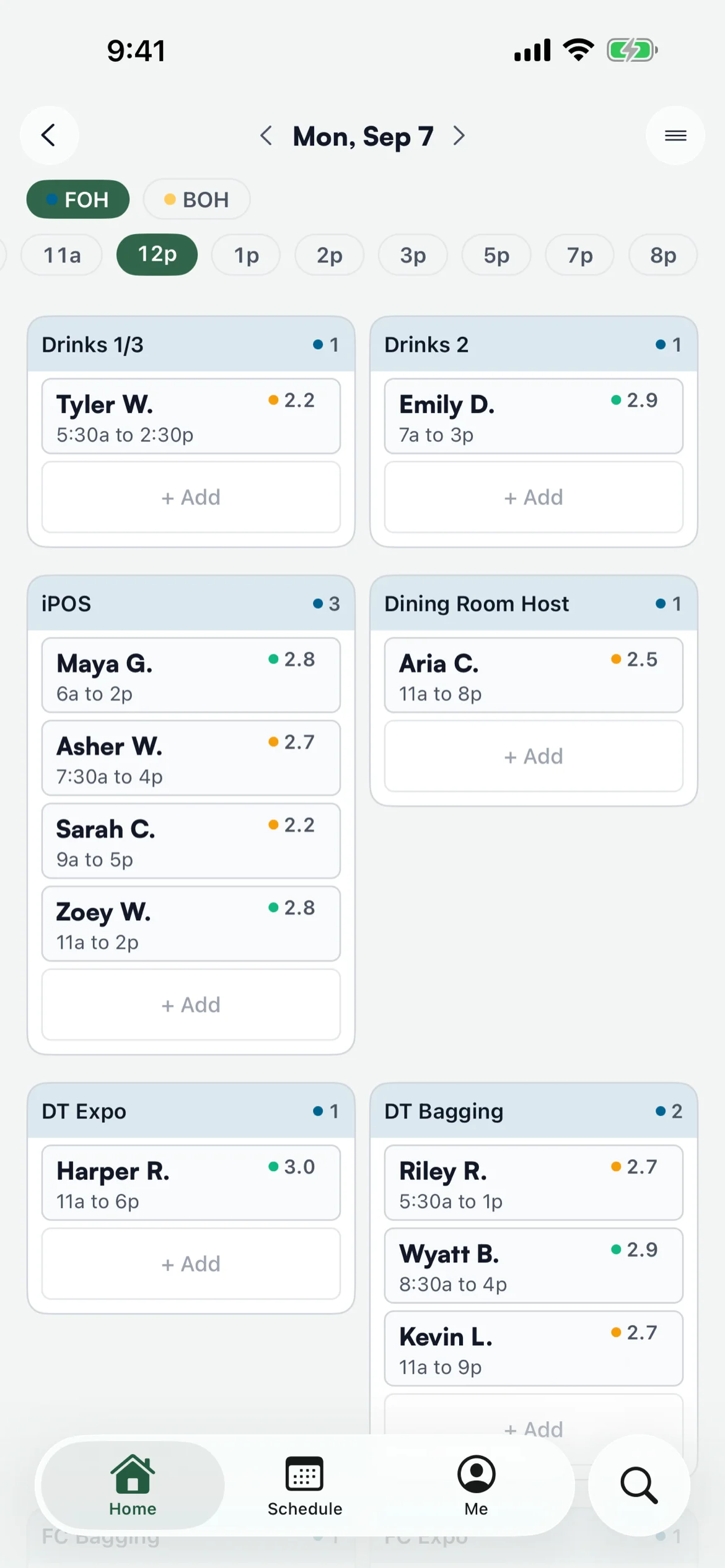
On a team member's phone, the same Saturday lunch setup shows who works each position and when.
The lunch setup, on every phone.
When your best leader opens, breakfast runs like a machine. When someone else opens, people are in the wrong spots and you find out when guests are already waiting. "Who goes where" lives in one person's head, and it leaves when they do.
Levelset builds the daily setup from the same position readiness your leaders rate every shift. Each station is filled with the strongest available person, ranked best fit first and color-coded green, yellow, and red, so your strongest lineup is the default and a leader is adjusting a good plan instead of building one.
How it works
Ranked by Real Readiness
Every open slot shows your best-fit people first, pulled from live per-position ratings. The system already knows who is green on Window and who is still learning it.
Readiness at a Glance
Assignments are color-coded by readiness, so a leader can spot a weak station in the setup before the daypart starts, not after.
Templates by Daypart and Zone
Define the stations breakfast, lunch, dinner, and close each need, by FOH and BOH zone, so every shift starts from the same plan no matter who opens.
Tuned to Your Store
Give Levi your own instructions and setups match how you actually run each daypart, instead of a one-size template.
See it in action
Ready to try Setups?
Book a demo and see this workflow running on an operation like yours.
See Levelset in action. No commitment.