
Roster
Your operating roster, with roles, availability, zone fit, and performance context in one place.
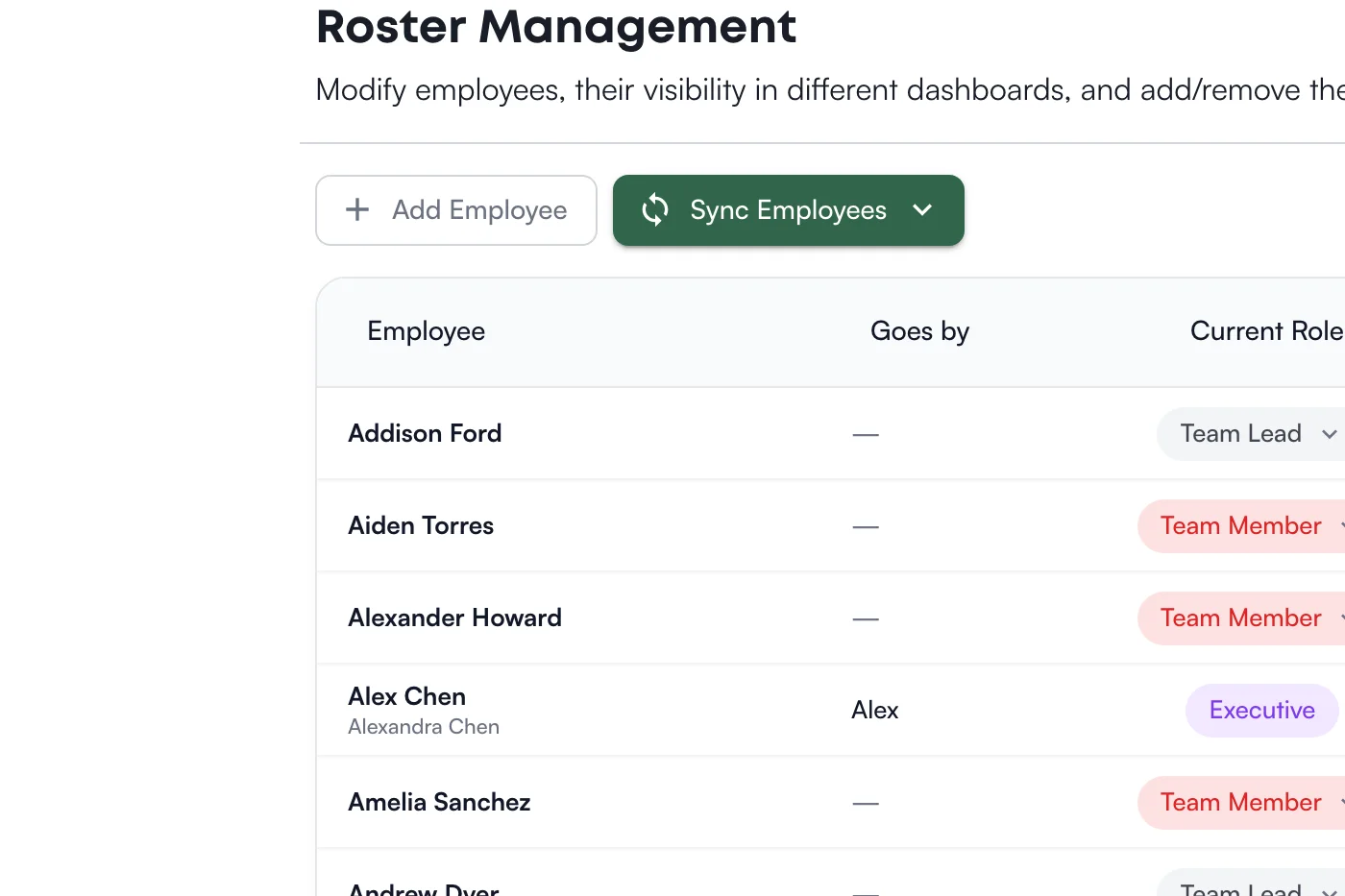
Your employee info lives in your scheduling system, a spreadsheet, maybe a binder. Need to know who is active, who can work FOH or BOH, or what context a leader should know before coaching? Leaders end up jumping between tools and asking whoever is nearby.
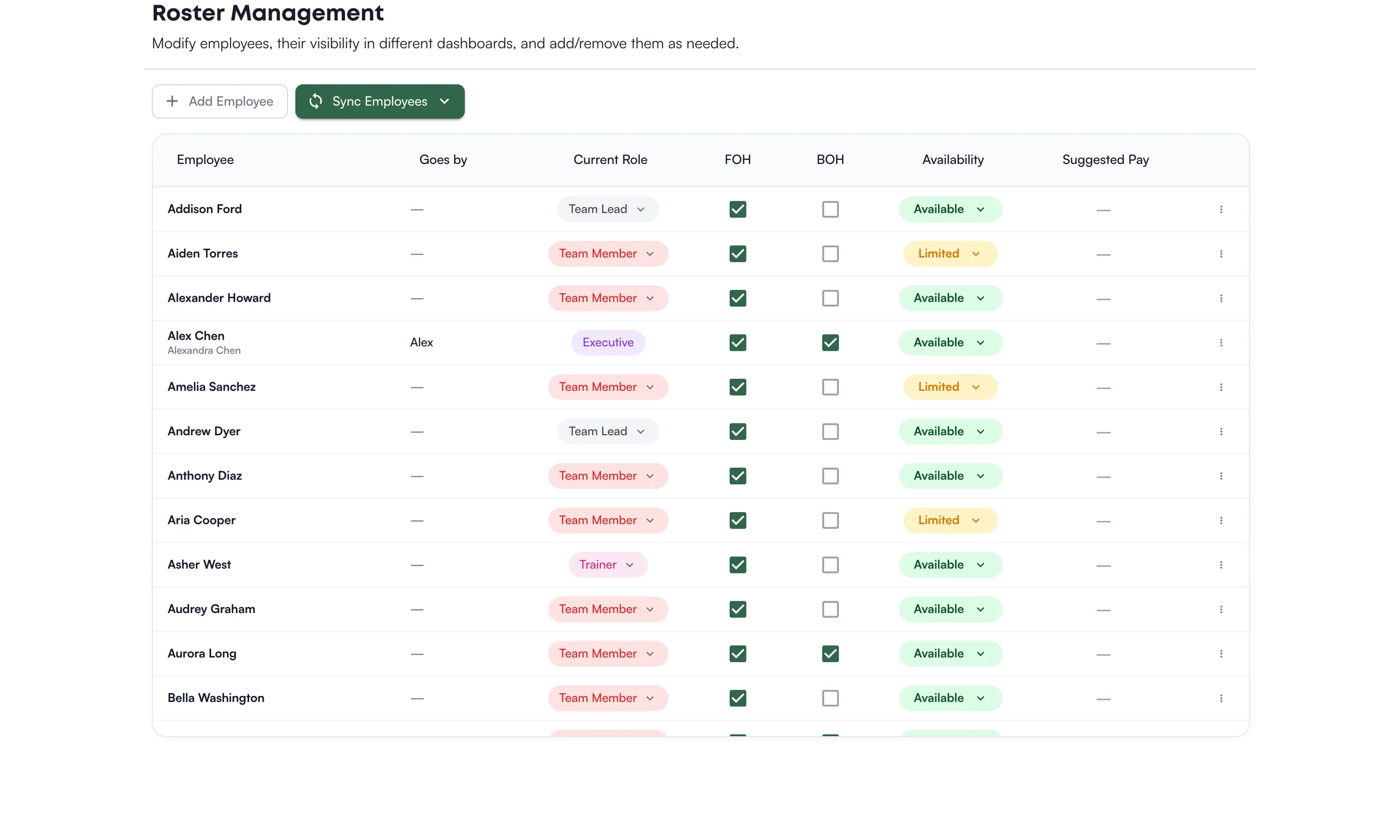
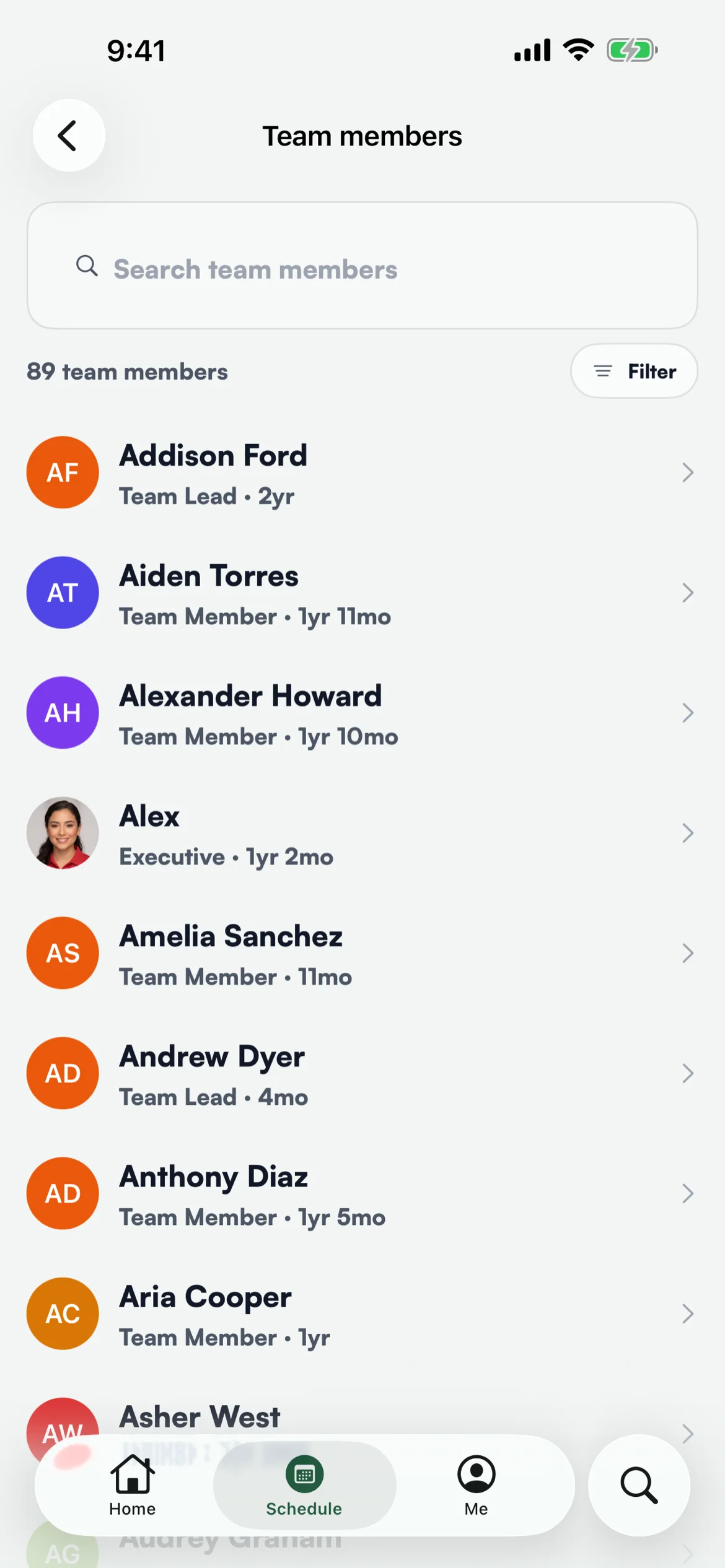
Levelset gives leaders a location-scoped roster with role, availability, FOH/BOH fit, certification status, and drill-in context for ratings, evaluations, discipline, and schedule history. Roster updates from your scheduling system flow through a review step so operators stay in control of roster changes.
How it works
Operational Team Records
Search and filter active employees by name, role, availability, certification status, and location context.
FOH and BOH Fit
See whether each employee is eligible for front-of-house, back-of-house, or both so leaders can make cleaner operating decisions.
Performance Drill-In
Open an employee profile to review positional ratings, evaluations, discipline history, and schedule context from the roster.
Reviewed Roster Updates
Import roster changes from your scheduling system into Levelset, review them, and confirm updates before they affect your data.
See it in action
Ready to try Roster?
Book a demo and see this workflow running on an operation like yours.
See Levelset in action. No commitment.